For the past week, my team and I have been heads-down building a Business Central to Dynamics 365 CE billing integration: posted sales invoices, applied cash receipts, subscription cancellations, and the product registry automation that ties them all together. Every one of those integrations is a Power Automate cloud flow, and every one of them was developed, debugged, and verified with Claude Code driving Power Automate directly, through a tool called FlowAgent. Suffice to say, this changed how I think about building flows, so I figured I would write up what we learned while it is still fresh.
Now, keep in mind this is not a review written after a demo. This is written after shipping three production-bound flows through dozens of iterations, a full test campaign, and a healthy number of defects found and fixed along the way. The scars are real!
What FlowAgent is
FlowAgent is an MCP server that ships inside the power-automate plugin from the good folks at Microsoft, published in the open source power-platform-skills repository. MCP, the Model Context Protocol, is the standard that lets an AI coding assistant call real tools instead of just talking about them. Once the plugin is installed, Claude Code gains a set of Power Automate operations it can invoke on its own:
- List environments and flows, and set a working environment and current flow
- Read a flow's full definition -- this is, the JSON under the designer
- Edit, validate, and publish flows
- Read run history, run details, and per-action inputs and outputs from any run
- Inspect connections, connectors, and operation schemas
- Search connector operations and get expression help
The plugin also bundles a Microsoft Learn MCP server, so the assistant can pull official documentation while it works, plus a set of skills -- guided workflows -- for creating, debugging, and diagnosing flows.
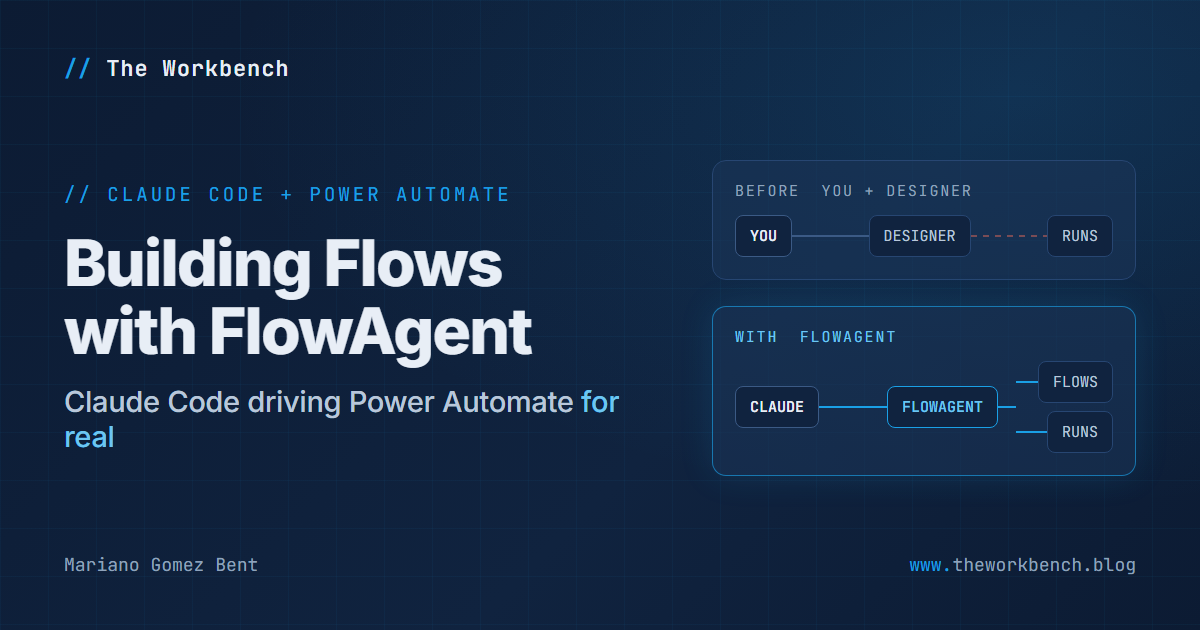
You may be asking, "why does this matter when the assistant can already tell me what to build?" Very simple: without FlowAgent, the AI describes a flow and you go click it together in the designer. With FlowAgent, the assistant reads the actual flow, makes the actual edit, publishes it, watches the actual run, and reads the actual error. The feedback loop that used to run through your eyes and your mouse now runs at tool speed.
Setting it up
The prerequisites are modest: Claude Code, Node.js, the Azure CLI logged into your tenant -- FlowAgent uses it for authentication -- and ideally the Power Platform CLI (pac) for solution work. Installation is two commands from within Claude Code:
claude plugin marketplace add microsoft/power-platform-skills
claude plugin install power-automate@power-platform-skills
A few things to note before moving on. The first command registers Microsoft's repository as a plugin marketplace; the second installs the power-automate plugin from it. After both commands complete, restart your Claude Code session, because plugins attach at session start. Then run the plugin's setup skill once: it verifies Node, the Azure CLI login, and the Power Automate token, and lets you pin a working environment so every later operation lands where you expect.
Two lessons from our own installation that may save you an afternoon:
NOTE: check which Claude Code binary you are actually running. We had an old standalone CLI on the PATH that predated the plugin system entirely, and it silently swallowed the plugin subcommands as if they were prompts. The VS Code extension ships a current CLI in its resources\native-binary folder; that one worked immediately.
NOTE: do not hand-edit the plugin registration files. Our first attempt at manual registration produced a "marketplace configuration corrupted" state that even blocked removal. Resetting the marketplace file and using the real CLI commands fixed it in minutes.
Debugging: the single biggest win
When a flow fails, the assistant pulls the run, walks the failed action, reads its exact inputs and outputs, and correlates all of it with the flow definition in one pass. Early in the project, this alone paid for the whole setup. As it turns out, our invoice flow had been silently broken for about two weeks, because the web services it called no longer existed, and the failure was masked by trigger noise. Two weeks! Nobody noticed, and frankly, nobody was going to: reading run histories systematically across hundreds of runs is exactly the kind of work a human never quite gets around to. Claude Code found it, remapped both HTTP calls to the replacement services, and verified the fix against a live run.
The same loop caught subtler things. A negative credit line on an invoice was failing because the CRM connector rejects negative discount amounts. The failed runs told the whole story: header created, positive line created, credit line refused. Reading the actual action outputs turned a vague "totals are off in CRM" report into a precise defect, a designed fix, and a verified repair, all inside one working session.
Edits go where edits belong
Our standing rule became: the cloud flow is the working copy, and the local solution source is the versioned mirror. Small, surgical changes go through FlowAgent's edit and publish tools. After every applied change, pac solution sync pulls the new definition into a git repository and the change gets a changelog entry. The assistant does all of this in one motion, so the discipline actually holds. Every flow change in this project, and there have been many dozens, is in version control with a written rationale.
For large edits, there is a practical workaround worth knowing: tool payloads truncate somewhere around 5 KB, so a big definition rewrite goes through the solution route instead. Edit the definition JSON locally, then pac solution pack, pac solution import, and publish. Same destination, different door. The assistant learned to choose the route based on the size of the change.
Verification stopped being optional
Because the assistant can resubmit a stored run and then read the new run's results, "deploy and hope" turned into "deploy and prove." Our habit became: make the change, resubmit a known trigger event, read every action's output, compare the CRM records against Business Central truth, and only then call it done.
During the test campaign, this cadence caught a deployment race where a managed export picked up a stale version and the target environment silently skipped the import as already installed. In turn, a resubmit against what turned out to be the old definition briefly looked like a test result. The lesson is now procedure: after every deployment, read the definition back from the target before trusting any run.
The rough edges, honestly
FlowAgent is genuinely useful and genuinely version one. Things we hit, and how we worked around them:
- Solution-aware flows do not appear in the flow list, which only shows personal-scope flows. The workaround is to address your flow by its ID directly. Once pinned as the current flow, everything else works.
- The resubmit and diagnose tools had bugs in the version we used; both threw type errors. We resubmitted runs through the underlying Power Automate REST API instead, which the assistant handles just fine, and filed the issues upstream with the plugin's built-in report-issue skill.
- Importing a solution leaves flows stopped, and validation errors surface at activation time, not import time. Publishing or activating after import is a required step, not a nicety.
- Connection authorization is per connection, not per flow. A brand new flow referencing a shared connection needs one activation by the connection's owner; after that, other makers can deactivate, edit, and reactivate freely. Knowing this pattern saved us from repeatedly misdiagnosing authorization failures.
None of these were blockers. All of them are the kind of thing you want written down before you start, which is exactly why they are written down here.
What it added up to
In a bit under a week of working sessions, this setup carried us through:
- Remediation of six pre-existing defects in an inherited flow, including moving a plaintext secret into Azure Key Vault and parameterizing every environment-specific value into environment variables
- A ground-up rebuild of the invoice flow onto a customer ledger trigger, eliminating an entire class of draft-noise and race-condition bugs
- A cash receipts flow built from a feasibility stub to feature complete in a single day, across four live-verified iterations
- A registry automation flow that replaced two hardcoded legacy flows with one table-driven design
- A full staging test campaign in which every planned scenario across three flows fired live, with every defect found along the way fixed and re-verified
Could a person do all of that in the portal designer? Eventually. But the honest answer is that the verification depth is what a person would not do. Reading every action output of every test run, reconciling every synced record against the source system to the penny, and writing it all down as you go is precisely the tedious, high-value work that an agent with real tool access does without fatigue.
If you try it
Three practices made the difference for us, and none of them are about the tool itself:
- Keep a changelog and a git mirror from day one. The agent moves fast; the paper trail is what lets you trust the speed.
- Decide your edit routing up front. Cloud as working copy, local as mirror, one commit per applied change. Ambiguity here is how definitions drift.
- Insist on live verification. The agent can prove its work against real runs. Make it do so every time, and "it should work" disappears from your vocabulary.
One last thing, because it matters: FlowAgent will not design your integration for you, and it should not. The design conversations, the business rulings, and the judgment calls stayed firmly human in our project. What it collapses is the distance between a decision and a verified, versioned, running flow -- a distance that used to be measured in hours of clicking and is now measured in minutes of reading the agent's evidence.
If you take FlowAgent for a spin, please drop a note in the comments describing your experience, including the rough edges you find; that feedback is exactly what makes open source tooling like this get better.
Until next post!
MG.-
Mariano Gomez Bent
Former Microsoft BizApps MVP
Comments