
In my previous Copilot Studio article, I was working on a support agent grounded in Dataverse knowledge articles and a custom table of curated case resolutions, and I showed how to wire those knowledge sources up with the Web API rather than clicking them together in the maker portal. What I did not explain there is why I cared so much about scripting them in the first place.
The reason is a question every consultant eventually asks about a sandbox: what happens to all of this when somebody refreshes the environment from production? The answer, of course, is that it all goes away. The agent, its topics, its knowledge sources, the custom table behind them, all of it. And the honest follow-up is the question that actually matters: how long would it take me to build it back?
If the answer is "about a week, and I would probably forget something," then what you have is not a project. It is a sandcastle! So, in this article I will walk through the lifecycle loop I settled on for a Copilot Studio agent, score it honestly against what Microsoft prescribes today, and show you the three places where the prescribed path quietly runs out of road. All three are documented by Microsoft, in public, and not one of them is where you would expect.
What Microsoft actually prescribes
Let me start by being fair to the guidance, because it is good guidance and I follow most of it. Microsoft's ALM story for Copilot Studio agents is solutions, and it has not wavered: the documentation is explicit that to move an agent between environments you need a custom solution rather than the default one. On top of that sits a set of ALM golden rules familiar to anyone who has shipped a model-driven app: work in solutions, use a custom publisher and prefix, use environment variables for anything that changes between environments, deploy as managed downstream, and automate it all with source control. Microsoft also states a floor: at least three environments, development, test, and production.
Alongside that, there is now a genuine authoring story for code-first people. The Visual Studio Code extension is generally available, the pac copilot command group gives you a local workspace of YAML files, and the pitch includes Git and pull requests. Suffice to say, this is a real improvement over clicking everything in a portal and hoping.
NOTE: read the banner at the top of those pages. Every ALM and code-first article I could find says the features described are powered by the standard harness. If you are building in the newer agent experience, hold that thought.
The loop I actually ran
Here is the cycle, start to finish. Nothing exotic, and that is rather the point:
pac copilot init                          # scaffold a local agent workspace
# author agent.mcs.yml, settings.mcs.yml, topics/*.mcs.yml
# validate every file offline, before anything touches the tenant
pac copilot pack --publisher-prefix wrk --solution-name WorkbenchSupportAssistant
pac solution import --path .\WorkbenchSupportAssistant.zip --publish-changes
git add . && git commit
A few things to note here. The offline validation step is mine, not Microsoft's, and it is the single highest-value habit in the loop: a Power Fx string containing a colon followed by a space parses wrong and surfaces as strange runtime behavior rather than an error, and catching that locally costs a second where catching it after deployment costs an afternoon. pac copilot pack is the interesting one: Microsoft documents it as a purely local operation that needs no authentication and no environment, which makes it, in their own words, safe to run in a build pipeline. Hold that thought too. And then, always, a commit. That repository is not a nicety. It is the recovery plan.
Scoring myself against the golden rules
| Golden rule | What I did |
|---|---|
| Always work in the context of solutions | Followed. Everything packs and imports as one solution. |
| Use a custom publisher and prefix | Followed, from day one. |
| Use environment variables for what changes between environments | Followed to the letter. The escalation address lives in an environment variable, never in a topic node. |
| Do not customize outside a development environment | Followed, though see below, because I only had one. |
| Create separate solutions only when you need independent deployment | Followed. One solution. |
| Automate ALM with source control | Followed, and then some. |
| Deploy as managed downstream | Not followed. Unmanaged only. |
Six out of seven, and the miss is not laziness. It follows from a platform constraint that will hit you too: Copilot Studio's Dataverse knowledge sources only read the agent's own environment. My agent had to be grounded on data that lived in one specific environment, so the agent had to live there as well. That collapses the three-environment model into one, and with nothing downstream to deploy to, managed solutions buy you nothing but ceremony. That is a limitation of my situation, not a flaw in the guidance. Keep in mind, though, that "the data only exists in one place" is an extremely common shape for a grounded agent, and the standard ALM advice does not really account for it.
Where the prescribed path runs out
Three gaps, and I found all three the hard way before finding them in the documentation afterward.
First: the command built for pipelines has no pipeline. Microsoft explicitly documents pac copilot pack as safe to run in a build pipeline, so I went looking for the pipeline that accepts it. Let me be precise, because this claim deserves precision: agents are solution components, so the generic solution tasks deploy one just fine, and Microsoft's Build Tools FAQ says as much. What the Power Platform Build Tools task list does not contain is anything that knows an agent from a canvas app: no task wraps pac copilot, and the only "agent" in that reference is the build agent running the job. GitHub Actions for Power Platform is the same story. I could not find a single Microsoft sample pipeline that runs pac copilot pack followed by pac solution import. You can build it yourself, and it is not hard, but the CLI was designed for CI, documented for CI, and the CI tooling has not caught up.
Second: the newer agent experience has no documented lifecycle at all. Copilot Studio now ships more than one runtime, and I wrote last time about how that split silently breaks knowledge grounding. It splits the ALM story more sharply. Every solutions, import/export, and code-first article carries the standard-harness banner, and the newer experience's documented lifecycle is create, build, test, publish, monitor, all inside a single environment. No promotion, no solutions, no source control story. There is a related asymmetry worth knowing: in the newer experience each publish creates a new version, which the documentation frames as a way to tell the live release from newer drafts. That is a counter, and I found no documented way to browse history or restore a previous version; rollback lives at the solution layer instead. So an agent can carry two unrelated version numbers, and only one can take you backward. I will say only what I can defend: I found no documentation of a restore capability, which is not the same as proving there is none.
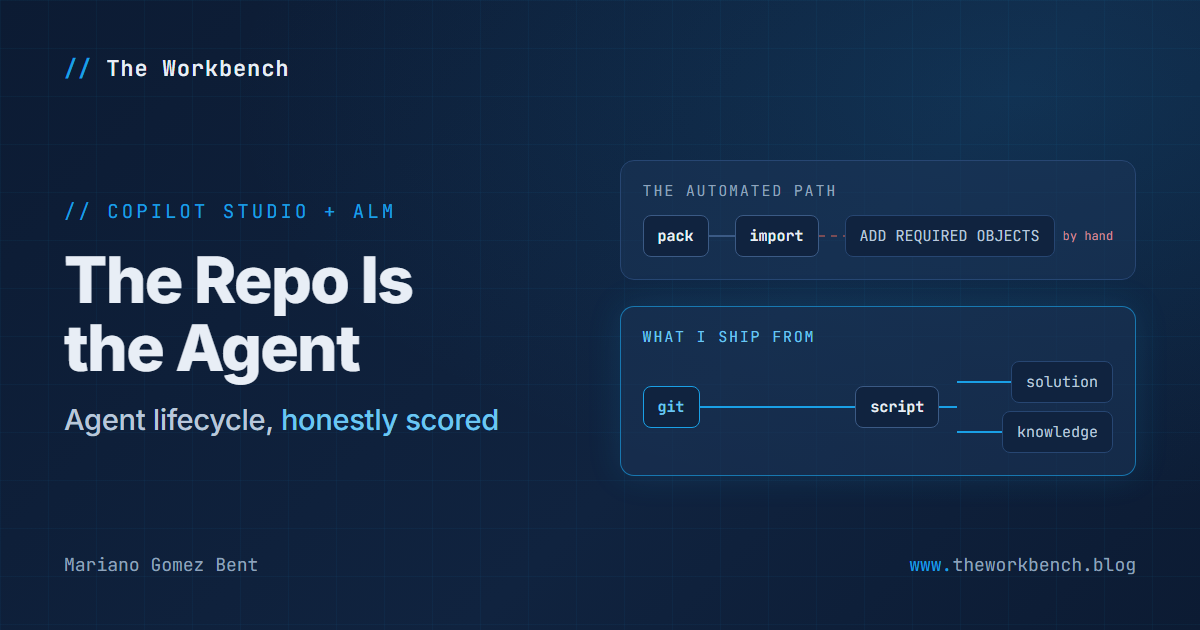
Third, and this is the one that changes how you should build: there is a manual click in the middle of the automated path.
The one click that breaks your pipeline
Microsoft publishes a troubleshooting article for agents whose components go missing after a solution import. The symptoms it lists are topics, environment variables, tools, child agents, and, yes, knowledge sources, all present in the source environment and absent in the target. The cause it gives is that the imported solution does not automatically include components added to the agent's source solution after the fact. The prescribed fix is to open the agent's commands menu, choose Advanced, select Add required objects, and export again, and the instruction is explicit that you repeat this before every export.
Read that as an operations person rather than a maker. The fidelity of your deployment depends on a human remembering to click something in a portal before every export. There is no CLI equivalent I could find, and no pipeline step, so your automated deployment has a manual precondition that fails silently when skipped. Nothing errors. The solution imports cleanly. The agent simply answers as though a knowledge source it needs was never there.
NOTE: the documentation is candid about the general shape of this. The import and export guidance says outright that some components, custom topics and knowledge sources among them, might not be included depending on how they were created or linked; there is a published list of things that are simply not solution-aware (Application Insights settings, manual authentication, Direct Line and web channel security, deployed channels, sharing); and after any import you must reconfigure authentication and publish before sharing. None of it is hidden. It is just easy not to go looking until something breaks.
Why scripting the components sidesteps all of it
In the previous article I showed that a Dataverse knowledge source is really four ordinary Dataverse records, and that one header on each create call, MSCRM.SolutionUniqueName, lands them inside your solution. That was written as a way around a tooling limitation. It turns out to be the whole answer to the click.
The knowledge wiring in this project is a PowerShell script. It takes a token from the signed-in Azure CLI, talks to the Dataverse Web API directly, and creates the custom table, its columns, the table search configurations, the knowledge-source components, and the associations between them, every call carrying that header. The shape is the part worth stealing:
$org   = "https://yourorg.crm.dynamics.com"
$token = (az account get-access-token --resource $org | ConvertFrom-Json).accessToken

$headers = @{
  Authorization             = "Bearer $token"
  "Content-Type"            = "application/json"
  "MSCRM.SolutionUniqueName" = "WorkbenchSupportAssistant"   # every call. no exceptions.
}

$search = Invoke-RestMethod -Method Post -Headers $headers `
  -Uri "$org/api/data/v9.2/dvtablesearchs" `
  -Body (@{ name = "wrk_case_resolutions_search" } | ConvertTo-Json)
A few things to note here. The token comes from the Azure CLI, so there is no credential in the script and nothing to rotate in source control. The solution header sits in the shared $headers block rather than being passed per call, which is the whole discipline in one line: you cannot forget it on the fourth create if it was never optional to begin with. And it deliberately depends on no pac state whatsoever, because pac authentication profiles are machine-global rather than per-project, and I have had a different workspace on the same laptop quietly re-point the profile my project was using. A recovery script that assumes the CLI is still aimed where you left it is a recovery script that fails on the one day you need it.
Because the knowledge sources come from a script I can run again, I never depend on a solution remembering them. The failure mode Microsoft documents cannot happen to a component I rebuild from source in ninety seconds. The same goes for the custom table, its columns, and the flow behind the escalation topic, which had to be created with a direct call to the Dataverse workflow endpoint carrying that same header, because the tooling I first reached for created a flow that never appeared in the solution at all.
And when something resists the API entirely, there is one more door. Last time I noted that updating a Quick Find view's find columns through the Web API fails with an opaque error, and that the maker portal was the fastest way through. Here is the part I promised to come back to: the same change can be made at the solution level, without clicking anything.
pac solution export --name WorkbenchSupportAssistant --path .\out
# unzip, edit the savedquery block in customizations.xml, re-zip
pac solution import --path .\WorkbenchSupportAssistant.zip --publish-changes
I have come to think of this as solution surgery, and the safety rule is the whole trick: a Quick Find view is an ordinary Dataverse view, not an agent component. Microsoft warns that changing an agent's components directly inside the solution breaks export and import, and that warning is correct and worth obeying. The rest of the solution is ordinary Power Platform metadata and behaves accordingly. Keep in mind the import round-trips everything else in the solution, so if you have a flow in there, verify afterward that it came back activated. Mine did, but I checked.
What this approach costs, honestly
The scripts are real code, and real code needs maintenance. They encode undocumented record shapes that can change in any release, so my recovery plan has a shelf life and needs re-verification rather than blind trust. I gave up managed solutions, and with them the layering protections that stop someone editing production by hand. Parts of what I built sit outside the supported path, which is a fine place for a proof of concept and a rather different proposition for production. And I gave up the three-environment model, so I have no test environment standing between an idea and the only environment that exists, and I want to be blunt that source control does nothing whatsoever about that.
That last point deserves precision, because I have seen it oversold. What all of this bought me is that the environment became replaceable, not unnecessary. Rebuildability protects you from losing work; a test environment protects you from breaking something in front of people, and those are two different problems with two different answers. Anyone who tells you a tidy repository removes the need for proper environments is selling you something. Here is what reconciles the two, though, and it is why I would do it all again: being able to rebuild the whole agent from source is precisely what makes a second environment cheap. When everything comes back by running a script, standing up a test environment stops being a project and becomes an afternoon pointed at a different URL. The discipline that looks like a substitute for the three-environment model is actually what makes it affordable.
So what does production actually look like?
Which is the question you are probably asking from inside your own proof of concept, and it has three answers worth knowing now.
Placement is not a choice. Dataverse knowledge reads only the agent's own environment, so the production agent lives in production, right alongside live customer data. Promoting a grounded agent is not like promoting a self-contained app into a tidy empty environment; you are placing an agent inside your live business system, and every decision about what it can see and say gets more serious the moment you do.
The solution carries less than you would hope. The agent, its topics, your table's schema, the environment variable definitions, and your flows travel. Authentication, deployed channels, sharing, and Application Insights settings do not, so a production deployment ends with an afternoon of hand configuration, plus pointing your environment variables at real values instead of the test address you have used since day one.
Your curated knowledge is data, not schema. The table definition rides along in the solution; the reviewed content in it does not. So you choose between regenerating that content against production data and migrating the rows you already reviewed, and as it turns out, regeneration is the tempting answer and probably the wrong one, because synthesis is not deterministic and re-running it discards the editorial judgement that was the expensive part. Migrate the reviewed rows, including the ones you deliberately rejected, so the audit trail stays intact.
NOTE: one sequencing trap. You cannot convert an unmanaged solution into a managed one in place. A development environment holding your work unmanaged is exactly right, and you export managed from it into production. But if you ever decide that environment should instead receive managed solutions, the unmanaged solution has to come out first, and it takes your agent with it. Decide what each environment is for before the first managed export, not after.
And then there is the part that is not really an ALM question at all: the guardrail work a sandbox lets you write down as caveats and a production rollout does not. That deserves its own article rather than a paragraph, so consider this the honest state of play. I know the shape production takes, I know which parts of my proof of concept were a loan rather than a discount, and the walk from one to the other is something I will be exploring in a future article, with the actual promotion done rather than theorized. Stay tuned!
The bottom line
Microsoft's ALM prescription for Copilot Studio agents is sound, and I followed six of its seven golden rules without argument. But the guidance assumes a shape of project that a grounded agent frequently cannot have, the tooling stops one step short of the automation it openly advertises, and the step that guarantees your components actually travel is a click somebody has to remember before every single export.
So my rule ended up simple enough to fit on one line: the repository defines the agent, and an environment is a place I can put it. One environment today, because the data gave me no choice. Two on the way to production, because promotion demands it. And the reason the second one will cost an afternoon rather than a fortnight is the same discipline that made the first one survivable.
If you have automated a Copilot Studio agent deployment end to end, especially if you have found a way to handle the add-required-objects step without a human in the loop, please drop a note in the comments describing how. That is the piece I would most like to stop doing by hand.
Until next post!
MG.-
Mariano Gomez Bent
Former Microsoft BizApps MVP

Comments