
Let me start with the announcement, because some of you came for the tool and not the story, and that is perfectly fine.
Today I am releasing pac-copilot-kit, open source under MIT at github.com/dgpblogster/pac-copilot-kit. It is a paved-road toolkit for the Copilot Studio agent lifecycle, and it does exactly two things. First, capability: it creates Dataverse knowledge sources from code, inside your solution, repeatably, which is the one thing pac cannot do at all. Second, the paved road: it makes Microsoft's own ALM prescription executable, one guarded command from YAML on disk to a published agent, in a shell or in CI. The first is why you install it. The second is why you keep it.
The PowerShell module is on the PowerShell Gallery as PacCopilotKit, and an MCP server that exposes the same engine to Claude Code, GitHub Copilot, or Codex is on npm as pac-copilot-kit-mcp. Two commands and you are running:
Install-Module PacCopilotKit
npx -y pac-copilot-kit-mcp   # optional: the MCP door, for your AI agent
Issues and pull requests are welcome, and the war-stories document in the repository is the living inventory of every gotcha the tool guards against. If that is all you needed, go build something and let me know how it goes!
Now, if you brought popcorn, stay for the rest, because the story of why this tool exists is the more interesting half, and it includes one moment where the build caught its own author in an overclaim.
Where it came from
My last two Copilot Studio articles, one on wiring Dataverse knowledge sources with the Web API and one on the ALM loop that keeps an agent rebuildable, both ended the same way: with a list of war stories and their workarounds. The runtime that silently ignores your knowledge source. The pac auth profile that another workspace quietly re-points. The Quick Find view update that fails with an opaque error code. Each one cost me real hours, each one got written down, and I felt rather good about that.
Then a thought started nagging at me. A war story you have to remember is a war story you will eventually forget. Six months from now, in a different tenant, I will hit one of these again and I will not remember the article, and neither will you. Writing it down was necessary. It was nowhere near sufficient. So, this time around, I turned the whole inventory into a tool.
From paragraphs to guardrails
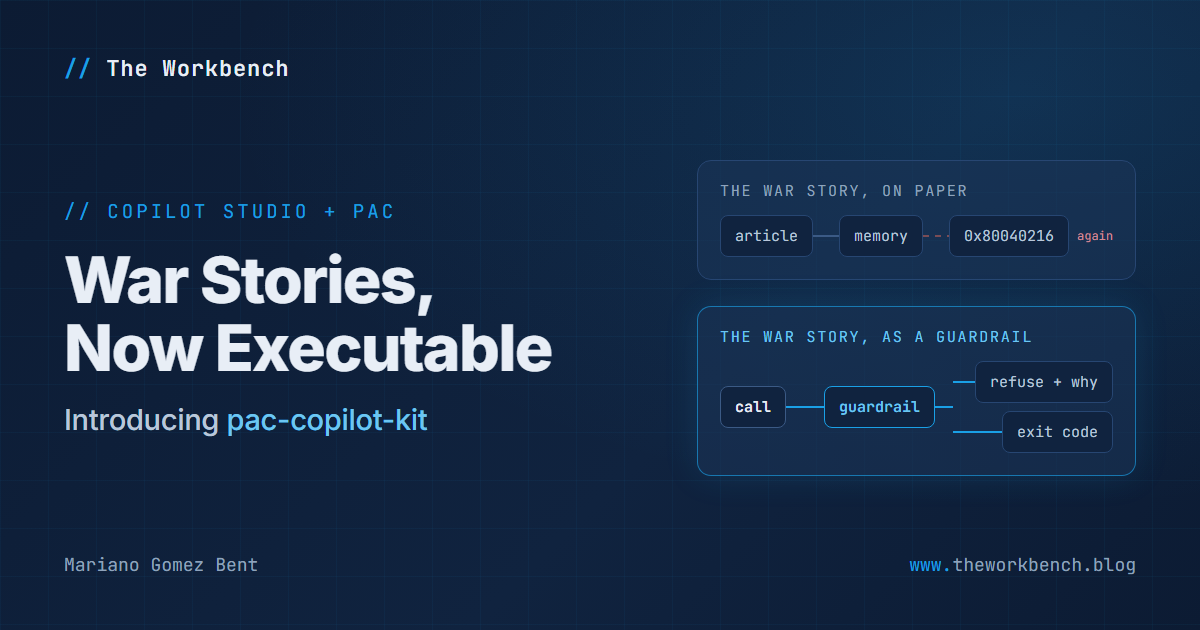
The idea fits in one sentence: every war story becomes something that executes. Not documentation you consult, but a check that runs, refuses, and tells you why. I call them guardrails, and as it turns out, they come in exactly two flavors. Preflight checks refuse before anything is touched: the runtime trap and the authentication requirement from the knowledge article, the profile drift from the ALM article, each now a refusal with the fix named in the message. Error translators let a call happen and catch a known failure on the way back: when the infamous 0x80040216 shows up on a savedquery update, you get the war story and the working alternatives, not the opaque code.
Every guardrail lives under a contract from day one: one file, one test proving the failure it prevents is real, and one plain-language entry in a war-stories document that travels with the code. No entry, no guardrail. The document I would have written anyway now cannot drift from the code, because the code refuses to exist without it. And every refusal carries a typed exit code whose range means something: 10 through 19 says your environment is misconfigured, 20 says you asked for a route the platform is known to break. You may be asking why anyone should care about an exit code taxonomy. Very simple: CI cares. A pipeline that can tell "the environment is wrong" from "the operation failed" is one a human can diagnose from the log line alone.
The natural home for all of this was a PowerShell module. But I work with an AI coding agent driving a lot of the platform interaction now, and an agent cannot benefit from a guardrail it cannot see, so the same engine got a second door: the MCP server, seven task-shaped verbs over the same guardrails. My favorite is the one with no cmdlet behind it, explain-failure: when any operation is refused, the agent can ask what just happened and gets the war story, the fix, and a warning against working around the refusal, straight from the exit code registry, without another round trip.
NOTE: I did not build this alone, and pretending otherwise would be strange in 2026. I paired with an AI coding agent (Claude Code, for the record) for the entire build. Keep in mind the division of labor, though: every platform fact in the tool was verified against a live environment before it was allowed to ship, because an AI pair is exactly like every other tool in my shop. Trust, but verify.
How my own tool tried to lie to me
Once the first guardrails were in place, we ran a red team pass against our own code: thirteen tests written to attack the guardrails the way a careless caller would, written before any fixes, expected to fail. Seven landed. Seven! The worst were bypasses of the flagship guardrail, which watched for savedqueries( at the start of a request path. The very same forbidden request sailed right past it spelled as an absolute URL, or with a leading slash, or with the payload as a raw JSON string. Four spellings of one request, and the guardrail caught exactly one. Now, you may be thinking the fix is three more string checks. It is not! The fix was structural: normalize every request into one canonical shape before any check sees it, so the whole class of bypass dies at once. Suffice to say, every guardrail now gets a bypass hunt, red first, before it ships.
What live verification taught me, including about my own articles
The unit suite proves the code does what we intended. The live runs proved something better: that one of my published claims was too broad, and that the platform had two more surprises waiting. Three findings, in ascending order of embarrassment.
First, the drift guardrail caught me. Me! The very first live pipeline run refused to deploy, because the active pac profile on my machine pointed at a completely different environment than the one I had pinned. The founding war story of the whole effort, firing on its author on day one. I could not have scripted a better validation.
Second, my savedquery claim did not survive a third environment. I reported that the fetchxml update fails on every route, reproduced in two orgs. The integration test then found views that accept the very same call. We spent an afternoon hunting the discriminator: custom versus system table? No. The search index flag? No. Standard versus virtual versus elastic? Also no. The honest current claim is that the failure reproduces on most Quick Find views while a minority accept the call, and the discriminator is not yet identified. The guardrail was redesigned that same day, from refuse-up-front to attempt-and-translate, because refusing a route that sometimes works is its own kind of bug. If you figure out what separates the two, the comments are open and I will credit you properly!
Third, and this one should worry every CI pipeline you own: pac can print an error and hand your shell a success code. Three times in one session, the CLI wrote a clear Error: line and returned 0: an argument error twice, and an environment resolution failure. Any pipeline gating on the exit code treats all three as success and keeps right on going. Before publishing that sentence I wanted to know which part of pac was doing it, so I ran the same failing command two ways. Through the MSI-installed pac on my PATH, a two-line wrapper that calls pac.launcher.exe: error printed, exit code 0. Through the versioned pac.exe underneath it: same error, exit code 1. As it turns out, pac itself tells the truth. It is the launcher that discards the exit code, on every command I tried, and that launcher is version 1.0.7 with a file date of September 2019, still shipping in the current installer. A seven-year-old shim, silently defeating a command Microsoft documents as safe to run in a build pipeline!
This is not new. It sits on Microsoft's tracker as issue #912 (the launcher) and issue #1027 (the symptom, with other users chiming in), both still open as I write this, and I have added the isolation above to the thread. In the meantime the tool refuses to believe a zero exit code when the output carries an Error: line, and I would gently suggest your scripts do the same, or install pac as a dotnet tool, which skips the launcher entirely. The lesson generalizes: verify the exit codes of every CLI you automate, through the exact path your pipeline will call, because a wrapper on the PATH can defeat a perfectly honest executable underneath it.
The bottom line
A war story is a liability until it is executable. The moment the savedquery story became a guardrail with a test, the test caught my own overclaim, and documentation cannot do that. That is the whole reason pac-copilot-kit exists, and the discriminator hunt from finding number two is genuinely open, so if you run it against your own environments, I would love to hear what you find.
My next installment will be the one I promised last time: the walk from proof of concept to production, with the actual promotion done rather than theorized. Stay tuned!
Until next post!
MG.-
Mariano Gomez Bent
Former Microsoft BizApps MVP

Comments