
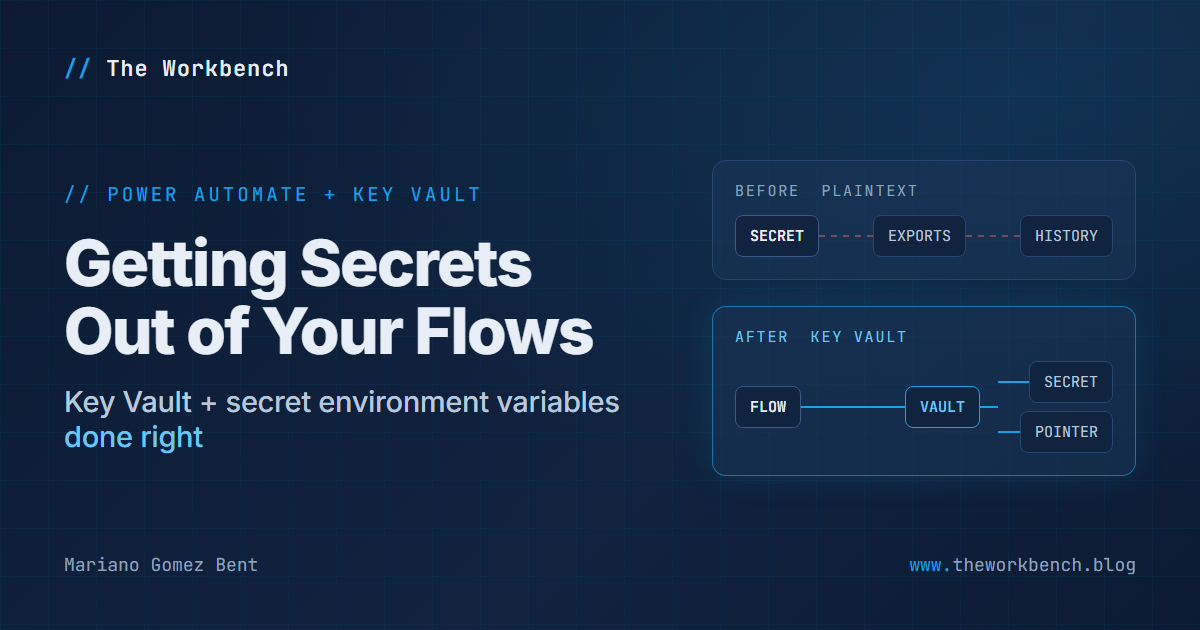
The flow we inherited at the start of our Business Central to Dynamics 365 CE billing integration, the same project from my FlowAgent article, had a problem so common it barely registers as a problem anymore: the OAuth client secret it used to call Business Central's OData services was sitting in plaintext, inside a String environment variable, referenced by the flow as an ordinary parameter. Everything worked. Nothing was on fire. And that secret was quietly everywhere!
So, in this article I will walk through where "everywhere" turns out to be, and the migration we ran to fix it: a secret-type environment variable backed by Azure Key Vault, runtime retrieval inside the flow, secured inputs and outputs, and a cleanup pass that chased the old secret out of every place it had settled. I will also cover the one gotcha that failed our first live run, because keep in mind, it will fail yours too if you do not know about it.
Where a plaintext secret actually lives
When a secret sits in a flow definition or a plaintext environment variable, it does not live in one place. It lives in every place the definition travels:
- Every solution export. The environment variable's value rides along in the zip. Email that zip to a colleague, attach it to a ticket, or drop it in a shared folder, and the secret goes with it.
- Run history. If the secret flows through an ordinary action, every run's inputs and outputs display it to anyone with permission to read run history -- and that audience is usually much larger than the audience you would knowingly hand a credential to.
- Source control. The moment you bring the solution under version control, which you absolutely should, the plaintext secret is in a commit, and commits are forever. Rotating the secret later does not un-commit the old one.
- Backups and working files. Any tooling that snapshots flow definitions -- designer copies, local backups, agent working files -- multiplies the copies further.
None of these is hypothetical. We found our inherited secret in the solution export, in the flow definition, in run history via the token request's visible inputs, and, once we started working, in the local backup snapshots our own tooling captured. The secret had more copies than the flow had actions!
The fix Microsoft provides for exactly this scenario is the secret-type environment variable: instead of storing a value, it stores a pointer to a secret in Azure Key Vault, and the flow retrieves the value at runtime. In turn, the vault becomes the only place the secret exists. Everything that travels -- the solution, the source tree, the definition -- carries only the pointer.
The migration, in the order that worked
We did this as a single day's remediation, and as it turns out, the sequencing mattered as much as the steps. Here is the order, with the reasoning.
1) Set up Key Vault RBAC first. Secret-type environment variables only support Azure Key Vault as the store, and two identities need roles on the vault before anything else works: the person doing the setup needs to write the secret and pass the environment variable's save-time validation (Key Vault Secrets Officer covers both), and the Dataverse service principal needs Key Vault Secrets User so the platform can retrieve the value at runtime. Also confirm the Power Platform resource provider is registered on the subscription that owns the vault; it is a one-time thing, and a confusing failure if it is missing.
2) Rotate by appending, and never look at the new secret. We did not migrate the old secret; we replaced it. The new client secret was created on the app registration with an append, leaving the old credential intact so the running flow never broke during the migration, and piped directly from the creation command into the vault in a single step. The value was never displayed on screen, never in a file, never in shell history. Keep in mind: if your new secret is ever visible, you have created another copy to worry about. The pipe means there is nothing to clean up afterward.
3) Create the secret-type environment variable, and get the reference format right. The variable lives in the solution like any other environment variable, but its value record contains only a pointer to the secret, and the form of that pointer is the part that stopped us cold, because it is not what instinct suggests. It is not the secret's URL from the Azure portal, and it is not a vault name and secret name pair. It is the secret's full Azure resource ID path:
/subscriptions/{subscription-id}/resourceGroups/{resource-group}/providers/Microsoft.KeyVault/vaults/{vault-name}/secrets/{secret-name}A few things to note here. Every segment is required, including the providers/Microsoft.KeyVault in the middle that nobody types from memory. If you create the variable through the maker portal, the form collects the pieces separately and assembles the path for you; if you create it through the Web API, or find yourself editing the value record directly, you supply the whole path yourself, and anything else fails validation. The save is also more than a format check: Dataverse resolves the path against Azure with your permissions at save time, so a typo in any segment, or a missing role on the vault, surfaces right there rather than at the first flow run. That is a kindness once you understand it, and a mystifying save error until you do!
NOTE: export the solution afterward and inspect it; you should see the resource path and nothing else. We made this check part of the verification, not an assumption.
4) Prove retrieval with a throwaway flow before touching the real one. You may be asking, "can I just test the retrieval from the Web API?" Categorically no! Secrets in secret-type environment variables are only resolvable from inside flows and custom connectors, and that is by design. So we built a disposable test flow whose only job was to call RetrieveEnvironmentVariableSecretValue and succeed, ran it, confirmed the retrieval, and deleted it. Two minutes of scaffolding, and the real flow's rewire started from a known-good vault path instead of debugging two things at once.
5) Rewire the flow, and secure both ends. The real flow gained one action: a Dataverse unbound action call to RetrieveEnvironmentVariableSecretValue for the new variable, with secured inputs and outputs turned on. The token request was repointed to consume that action's output, and it got secured inputs and outputs as well. That second part is easy to forget and matters just as much: the client secret passes through the token request, and the bearer token that comes back is itself a credential. With both actions secured, neither the secret nor the token appears in run history anymore.
6) Add a graceful failure path. A vault outage or a permissions change now has a single, well-defined failure point, so we gave it a dedicated handler: an alert email carrying the run ID and the likely causes, then a Terminate with a named error code. Without this, a retrieval failure dies mid-run with secured -- and therefore blank -- diagnostics, which brings us to the gotcha in a moment.

.gitignore. Only after the tree was provably secret-free did the repository get its first commit. That ordering is worth stating plainly: git init comes after the secret hunt, not before.
8) Hand the old secret off for rotation. The old credential was left working throughout the migration and then handed to the system administrator to rotate, after checking whether anything else used it. In our case, something else probably did, which is its own small lesson: plaintext secrets get shared around precisely because they are visible, and you cannot assume you are the only consumer.
The gotcha: runtime RBAC follows the connection owner
Our first live-fire test failed at the secret retrieval with a BadRequest and no details, because secured outputs hide details by design. The error handling worked beautifully -- alert sent, run terminated cleanly, zero partial writes -- but the diagnosis took some actual thought, so here it is for free.
NOTE: Dataverse validates the vault RBAC of the calling user, and the calling user is the owner of the Dataverse connection the flow uses, not the person who built the flow. As it turns out, our earlier test flow had succeeded because it ran on the author's own connection, and the author had vault roles. The production flow ran on a shared connection owned by a service account that had none. Granting Key Vault Secrets User to that service account fixed it, and the resubmitted run passed end to end.
The practical rule: enumerate every identity that will ever own a connection your flow runs on, in every environment, and grant each one Secrets User on the vault. And when the retrieval fails with hidden diagnostics, check connection ownership before anything else. It is the most likely cause and the least visible one.
The payoff shows up at deployment time
Weeks later, when we deployed the solution to a staging environment through a Power Platform pipeline, the secret story was the part that just worked. The secret-type environment variable's vault reference traveled with the solution; no secret value needed to be supplied at import, because there is no secret value in the solution. The only per-environment chore is the RBAC grant for that environment's connection-owning identity, and the first live run tells you immediately whether you missed it, through the graceful failure path built in step 6.
Now, compare that with the plaintext alternative, where every deployment either carries the secret in the zip or prompts someone to paste it in. Both of those mint fresh copies. It just doesn't work!
The other half: everything else into environment variables too
The secret was the dangerous case, but the same remediation pass moved every per-environment value out of the flow definition and into ordinary environment variables: tenant ID, company ID, environment name, target system record IDs, alert recipients, and a set of sandbox-only test toggles. Two decisions there proved right in hindsight:
- Ship no values in the solution for anything environment-specific. An import that prompts is a feature; a value that silently travels to the wrong environment is a defect waiting to be discovered in production.
- Make the flow's behavior mode explicit. A Sandbox/Production mode variable, with test toggles honored only in Sandbox mode, means production can never accidentally run with a test configuration. The gate rule lives in the flow once, not scattered across conditions.
When it's all said and done, you end up with a flow definition that has no secrets, no environment names, no GUIDs, and no email addresses in it. Everything that varies is a variable, and the one thing that must not leak is a pointer to a vault. That is the whole trick, and a day of careful sequencing is all it costs.
If you run this migration yourself, or if you have chased a plaintext secret through more hiding places than the ones I listed here, please drop a note in the comments describing your experience; these war stories are how the community keeps each other's credentials out of run history.
Until next post!
MG.-
Mariano Gomez Bent
Former Microsoft BizApps MVP

Comments