
Anyone who has built anything nontrivial on Microsoft Dataverse knows the tax. You want to stand up a small data model, load a few thousand rows into it, and move the whole thing to a test environment. That is one sentence to describe and four tools to execute: the SDK for Python for the bulk write, the Dataverse CLI for authentication, the Power Platform CLI for the solution export, and the Web API for whatever the other three do not cover. None of it is hard. All of it is friction, and the friction is mostly syntax you have to remember rather than decisions you have to make.
Well, in late August Microsoft published something that goes after exactly that friction, and it arrived quietly, as two new articles with no fanfare attached.
Background
Two new pages landed in the MicrosoftDocs/powerapps-docs repository, both dated 07/31/2026 and both published in the week ending August 24:
- Microsoft Dataverse plugin for AI coding agents (preview), the overview and install article.
- Microsoft Dataverse plugin for AI coding agents reference (preview), the per-skill reference.
Both are new files, not edits, and the developer table of contents was amended to carry them, which is the tell that this is a shipped surface rather than a stray draft. The source is open, in the microsoft/Dataverse-skills repository, so you can read every instruction the agent is given before you let it near an environment. I would encourage you to do exactly that.
Now, the term coding agent deserves a definition, because it is doing a lot of work in these articles. A coding agent is an AI assistant that runs inside your development environment, reads and writes files in your project, and executes commands on your behalf. GitHub Copilot, Claude Code, Cursor and Codex are the four named as supported. The distinction that matters: a coding agent runs commands, where a chat assistant only suggests them.
The Solution: a plugin is instructions, not code
Here is the part worth slowing down for, because it is easy to misread this as "Microsoft shipped another connector."
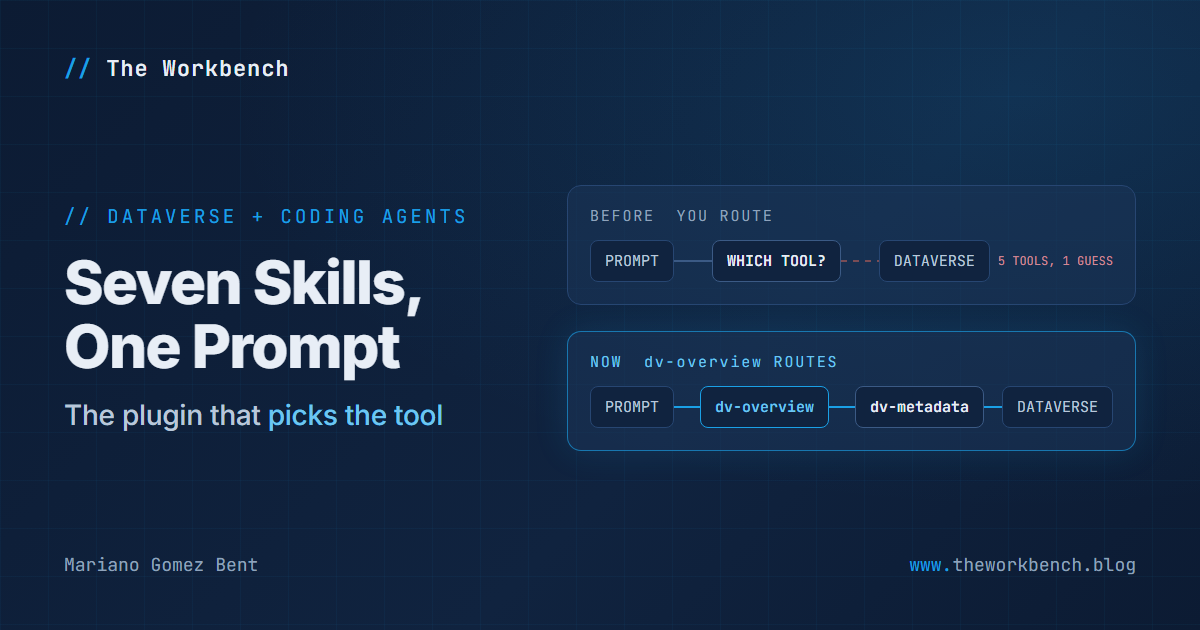
It did not. The documentation is precise: this is an open-source set of instructions that help a supported coding agent perform Dataverse development and administration tasks. It does not replace the Dataverse development tools. It tells the agent which one to reach for.
You may be asking why that is worth shipping at all. Very simple: tool selection is the hard part. An agent that knows the Web API exists will cheerfully use it to insert five hundred rows one HTTP call at a time, and it will be correct, and it will be terrible. The plugin's job is to know that five hundred rows means the Python SDK and CreateMultiple, that a schema question means MCP, and that a solution export means the Power Platform CLI. The routing rule is stated plainly: MCP for interactive queries and small record sets, the Python SDK for bulk operations, transformations, paging and analytics.
Seven skills ship with it. dv-overview loads first and carries the tool-selection guidance; every other skill sits behind it. dv-connect sets up the workspace. dv-query reads and analyzes, up to server-side aggregation and pandas DataFrames. dv-data handles creates, updates, upserts, CSV imports and sample data. dv-metadata builds tables, columns, relationships, alternate keys, forms and views. dv-solution runs the solution lifecycle. dv-admin and dv-security cover environment settings, retention, bulk delete, audit configuration and role assignment. A single request can pull several at once.
The two design decisions I would point at
The first is buried in dv-metadata, and every Dataverse developer will recognize it. The skill instructs the agent to follow an environment-first metadata workflow: make the change in Dataverse through a managed API, export and unpack the solution, then commit the generated files. And then:
The agent shouldn't create new Dataverse components by writing solution XML manually.
That is the correct instinct, written down. Hand-authored solution XML is how you get components that import cleanly and then behave strangely, and an agent left alone would absolutely write it, because from a language model's point of view XML is just text and text is easy. A small sentence carrying a lot of hard-won experience.
The second is the guardrail model, and it is more honest than I expected. The documentation states that Dataverse enforces the platform controls, that the agent-level guardrails guide how the agent plans and confirms, and that they "aren't a substitute for reviewing the proposed action." Then it names the boundary that actually protects you: the agent cannot exceed the permissions of the authenticated identity. Table privileges, field-level security, ownership and sharing, and administrator permissions are enforced on every request.
NOTE: the agent-level confirmations are still worth knowing. Before the first operation against an environment in a session, the agent must show the target environment URL and get confirmation. Before creating a publisher prefix it must show existing publishers, because a prefix is permanent. And an unfiltered bulk delete, which bypasses the recycle bin, requires an explicit acknowledgment naming the table logical name and stating that all records should be deleted. That is the right shape for a destructive operation: make the human type the dangerous part.
Why it matters
For makers, the honest answer is: not yet, and that is fine. This is a developer surface, needing a local toolchain, a terminal and a coding agent. If your Dataverse work happens entirely in make.powerapps.com, nothing here changes your Tuesday. What it does change is who can help you, and how fast.
For professional developers, there are two claims here and they are not the same size. The small one is convenience, real but unremarkable. The large one is that Microsoft has published, in the open, its own opinion about which Dataverse tool to use for which job, in a form a machine reads. That opinion has existed for years, scattered across documentation, conference sessions, and the accumulated instinct of people who have been burned enough times. Written down as executable guidance, it becomes reviewable, forkable, and arguable in a way instinct never is.
Two cautions, both from the documentation rather than invented by me. This is preview. And Dataverse MCP access carries an authorization chain no plugin can shortcut: the developer authenticates, a tenant administrator consents to the MCP client application, and an environment administrator allows that application in each target environment. The connection flow tells you what is needed; it does not bypass administrator approval. In a governed tenant, that is a ticket, not a command.
The demo concept
Not "watch the agent make a table," because that is a parlor trick that proves nothing you could not do faster by hand. The demonstration worth building is the four-tool problem from the top of this post, executed as one prompt, with the tool selection made visible. Build a small ticketing model, load a few hundred rows, package it, deploy it to a second environment. Then go back and look at which skill did what. If dv-data reached for CreateMultiple rather than five hundred single inserts, the routing did its job, and that is the whole point in one observation.
Steps to recreate
1) Install the plugin. The command differs by agent:
GitHub Copilot:  /plugin install dataverse@awesome-copilot
Claude Code:     /plugin install dataverse@claude-plugins-official
Cursor:          /add-plugin dataverse
A few things to note. These are slash commands typed into the agent's own chat, not shell commands. The part after the @ is the marketplace the plugin comes from, and it differs because each vendor runs its own. In GitHub Copilot you can also run /plugin, open Discover, and search for dataverse; in Cursor, go to Settings > Plugins, search for Dataverse, open Microsoft Dataverse, and select Add to Cursor. Codex is the odd one out, having no default marketplace carrying this plugin: open Plugins > Add marketplace, set Source to https://github.com/microsoft/Dataverse-skills.git, leave Git ref and Sparse paths empty, add the marketplace, then install the dataverse plugin from it.
2) Connect, then verify, in plain language:
Connect to my Dataverse environment.
List the tables in my Dataverse environment.
The first triggers dv-connect, which checks whether the workspace is already configured, verifies and installs the required tools, discovers your environments and asks you to select one, configures Dataverse CLI and Power Platform CLI authentication, creates the local workspace configuration while excluding credentials and generated artifacts from source control, registers the Dataverse MCP server, and verifies the connection. That is nine steps behind one sentence, and the one I would call out is the source-control exclusion, because it is the step a hurried human skips. Note also that some coding agents must be restarted after MCP registration before the MCP tools appear. If the second command comes back saying it has no tools, that is why.
3) Do real work. This prompt is drawn from tests in the repository, which is a useful signal: it is known to work rather than merely plausible.
Write a Python script that efficiently creates 500 ticket records in my
Dataverse new_ticket table. Each ticket should have a unique title and a
priority value. Optimize for the fewest HTTP calls.
A few things to note. "Optimize for the fewest HTTP calls" is the phrase doing the work, pushing the agent from a naive loop to CreateMultiple with batching. Change new_ticket to your own logical name, publisher prefix and all. And notice it asks for a script, so you get an artifact you can read, commit, and run again, rather than an action that already happened.
4) Package and move it:
Pack the CustomerService solution, import it into the test environment, and
verify that the ticket table, main form, and active tickets view are available.
The verification clause is not decoration. dv-solution supports post-deployment validation of tables, forms, views, role assignments and import errors, so asking for it is what turns "the import returned success" into "the components are actually there." Two different claims, and only one is worth trusting.
Companion repo sketch
A lab repository that is honest about being a lab. A prompts/ folder with the exact prompts in order, so someone else can reproduce the run. A transcripts/ folder with what the agent actually did, because the interesting artifact is the routing rather than the result: which skill was selected, which tool it chose, whether it batched. A solution/ folder holding the solution exactly as dv-solution unpacked it, so the environment-first workflow shows up in the diff instead of being asserted in a README. And a short FINDINGS.md recording where the agent chose well and where it did not, because a lab that records only successes is marketing.
Point the README at a developer environment from the Power Apps Developer Plan, which the documentation names as the appropriate nonproduction option, and say so loudly. Nobody should be learning this against production.
Final Notes
What I keep coming back to is not the convenience. It is that the routing table is public. Microsoft has written down, in a repository you can read, which Dataverse tool it thinks you should use for which job and why. Whether or not you install the plugin, that is worth twenty minutes of your time, because it is the closest thing we have had to an official answer to a question this platform has been quietly asking developers for a decade.
And it is preview, so it will change. Read the skills before you trust them, run against a developer environment first, and remember that the confirmations are guidance to the agent rather than enforcement by the platform. The enforcement is your identity's privileges, and that is the line that actually holds.
What I learned from this exercise: the valuable part of an agent integration is rarely the automation. It is the accumulated judgment somebody had to write down to make the automation behave.
Until next post!
MG.-
Mariano Gomez Bent
Former Microsoft BizApps MVP

Comments