
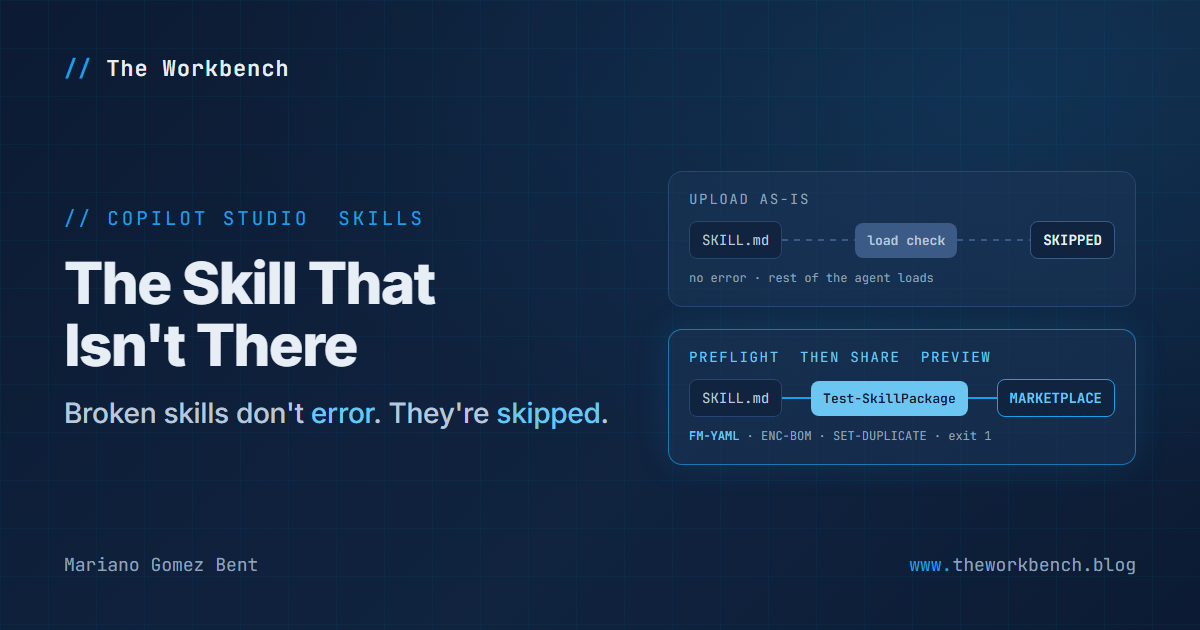
Put an unquoted colon in the description of a Copilot Studio skill and nothing will tell you. Copilot Studio skips the skill, loads the rest of the agent, and the agent carries on as though the skill had never been installed. That isn't a bug report, by the way: it is documented behavior, spelled out in a troubleshooting table that lists eight reasons a skill gets skipped.
For most of the feature's life, that was a problem for whoever uploaded the file. The October 8, 2026 revision of the skills documentation changed the audience. Skills can now be shared through a marketplace (preview), and once a skill is something other people add to their own agents, a failure that makes no noise deserves a check that makes plenty.
Background
A skill, in Copilot Studio's sense, is a set of instructions written in a Markdown file named SKILL.md. At the top of that file sits a small block of YAML front matter, which is simply a few key: value lines fenced between two --- lines, carrying the skill's name and description. A skill can be a single SKILL.md, or a ZIP package that bundles it with scripts, templates and reference documents. The agent's orchestrator reads every skill's description and activates a skill when a user's request matches it, which is why the description matters as much as the instructions. Skills follow the open Agent Skills specification, which the Copilot Studio skills overview links directly, and they are available to agents powered by the GitHub Copilot harness, which bill in Copilot Credits.
The change is in Manage and delete skills in an agent (GitHub Copilot), which gained two preview sections:
- Share a skill through the marketplace (preview). You can keep a skill private or share it with specific people or groups in your organization, for use "across Copilot Studio agents and other supported experiences". If you change a skill you already shared, you share it again to publish the new version.
- Browse and consume marketplace skills (preview). You add a shared skill to your agent from a browse list. The agent gets a snapshot of the skill while keeping a reference to the original, and when a newer version exists you get an update notification the next time you open the agent, with an update button to take it.
The same page notes that general plugin support in Copilot Studio isn't available yet, so this is skills only. And the same page already carried the table I opened with. A skill is skipped for invalid YAML front matter, a missing name, a missing description, a description that is too long, a duplicate skill name, a SKILL.md that isn't UTF-8 without a byte-order mark, a supporting file that couldn't be written, or a package that fails structural validation.
Why it matters
For makers. A skill you write once can now reach every agent in your team without anyone passing files around, and the snapshot model is a considerate design. Your update never changes somebody else's agent behind their back; they see the notification and decide when to take it. The flip side is worth knowing on day one: a fix you publish doesn't reach anyone until they accept it, so "I already fixed that" and "their agent has the fix" are two different statements.
For professional developers. A skill is a file, and a file belongs in source control with a check in front of it. That troubleshooting table reads like a linter specification, and every row on it except two can be verified on disk before the skill ever reaches Copilot Studio. The duplicate-name row deserves particular attention now. With one author, two skills sharing a name is a typo. With a marketplace, it is a naming collision between teams who have never met. The docs don't describe how the marketplace handles two shared skills with the same name landing in one agent, but the loader's documented answer to a duplicate is to skip one, so I would settle on a naming convention, such as a team prefix, before the first share rather than after.
The demo
The demo is a preflight check: run every documented load-time rule against a skill on disk, package it, upload it, share it, then ship an update. Here is the checker against a folder of ten skills, each carrying one planted defect (output trimmed to four of its twelve findings):
PS> ./Test-SkillPackage.ps1 -Path ./samples/bad
[FAIL] colon-in-description  FM-YAML  Key 'description': unquoted value contains a colon followed by a space, which is not valid YAML. Quote it, for example description: "...".
[WARN] hash-in-description  FM-COMMENT  Key 'description': unquoted ' #' starts a YAML comment, so everything after it is dropped from the value. Quote it if the # is meant to be text.
[FAIL] long-description  DESC-LENGTH  description is 1100 characters. Copilot Studio skips a skill whose description is too long but doesn't state the number; the open specification's maximum is 1024.
[FAIL] lowercase-filename  PKG-SKILLMD  No SKILL.md in the folder. Found 'skill.md'; the file name is SKILL.md in capitals.
10 skill(s) checked: 8 FAIL, 4 WARN
Every finding carries a check ID, and the split between FAIL and WARN is deliberate. FAIL means the Copilot Studio docs say the skill will not load. WARN means something else disagrees with the skill (the open specification, or plain YAML) but Copilot Studio's own docs don't say it will be skipped. The hash-in-description case is my favorite of the lot: a description like Looks up a ticket by its number, for example #4521 is perfectly valid YAML, and YAML silently throws away everything from the # onward because it treats that as a comment. Since the file is valid, nothing stops the skill from loading; it just has half a description, and the orchestrator is matching requests against the half that survived. The script exits with code 1 on any FAIL, which is what lets it gate a pipeline.
And here is the front matter of the skill that passes, showing the fix for the most common failure:
---
name: expense-policy-check
description: "Checks an expense against company policy: spending limits, receipt rules and approvals. Use when someone asks whether an expense is allowed or what they need to submit it."
---
The description contains a colon, so it is wrapped in double quotes, which is exactly the remedy the troubleshooting table gives. The name uses only lowercase letters, numbers and hyphens, and it matches the folder the skill lives in, which the open specification requires and which keeps the duplicate check meaningful. Notice also that the description says both what the skill does and when to use it. That second half is what the orchestrator matches against, so write it with the words a user would actually type. Change the policy text to your own, keep the shape.
Steps to recreate
The Copilot Studio paths below come from Add an existing skill to an agent and the manage article above. You will need an agent powered by the GitHub Copilot harness, and PowerShell 7 for the scripts.
1) Clone skill-preflight-lab and run ./tests/Invoke-Tests.ps1. All 25 tests should pass, which proves the checker behaves on your machine before you trust it with your own skills.
2) Run ./Test-SkillPackage.ps1 -Path ./samples/good/expense-policy-check, then point it at your own skill folder. Point it at a folder of skills to catch duplicate names across them.
3) Package with ./New-SkillPackage.ps1 -SkillPath ./samples/good/expense-policy-check -OutDir ./out. It refuses to package a skill with any FAIL, puts SKILL.md at the root of the ZIP, and re-checks the finished package.
4) In Copilot Studio, open your agent, select the Build tab, select Skills in the components panel, then in Add skill select Upload a skill. Drag the ZIP onto the upload box.
5) On the Preview tab, ask "Is a 180 USD hotel night within policy?". The sample policy sets lodging at 250 USD per night, so the answer should lead with "within policy" and then list what to attach, including the hotel folio.
6) To share it, select the skill to open its configuration panel, select the three dots (...) and then Share. On the details page, select Share in the upper-right corner, choose Specific users or groups in your organization, add a colleague or a group, and select Apply.
7) As that colleague, open an agent on the Build tab, select the + icon next to Skills, then Browse skills (preview). Select the skill, and on its details page select Add. If Browse skills (preview) isn't there, the docs don't describe a setting that turns it on, so treat it as not yet available to you.
8) Now ship an update. Change the lodging limit in references/policy-limits.md, rerun steps 2 and 3, then in your agent select the skill, the three dots (...), and Replace, and pick the new ZIP. Share the skill again, because a changed skill doesn't republish itself. The next time your colleague opens their agent, they get the update notification. Until they accept it, they are still on the old limit!
Companion repo
Everything above is in skill-preflight-lab on GitHub: the checker, the packager, two skills that pass, ten that each fail in one documented way, and a 25-test suite that asserts the good ones pass and every planted defect is reported by its ID. The README maps each check ID to its source. Credit where it's due: the open specification ships its own reference validator, skills-ref, and if you work in Python you should use it. This checker adds the parts specific to Copilot Studio's loader, such as encoding, package shape and duplicates across an agent.
Final Notes
I like the marketplace design a great deal, the opt-in update most of all. But a sharing model raises the price of a quiet failure, and Copilot Studio's loader is quiet on purpose: skipping one bad skill so the rest of the agent keeps working is the right call for the person chatting, and the wrong signal for the person who wrote it. The fix is the same one we have always used for that kind of gap. The documentation already tells you the rules, so put them in a script, put the script in front of the share button, and let it be the thing that makes noise.
Until next post!
MG.-
Mariano Gomez Bent
Former Microsoft BizApps MVP

Comments