
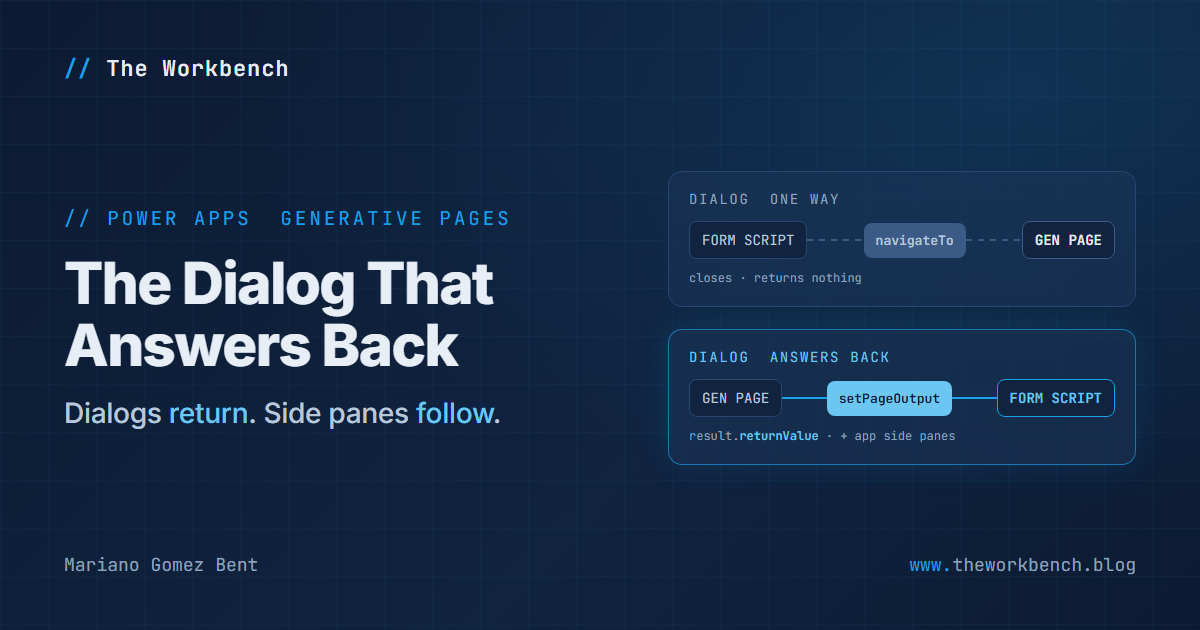
For most of 2026, a generative page in a model-driven app was a one-way street. A form script could open one inline or as a dialog and hand it a record ID or a bag of custom data, but nothing ever came back: when the dialog closed, the promise resolved with nothing in it. And the obvious other place to put a page, the side pane next to the form, sat in the documentation under a heading that began with the word "Unsupported", above a code sample whose own comment said the page content doesn't render.
The October 9, 2026 revision of the docs deleted that heading and fixed both halves. A generative page opened as a dialog can now return a value to the script that opened it, and a generative page can now open in an app side pane. Two small changes, and the generative page just went from being a destination to being a component.
Background
For those new to the term, a generative page is a model-driven app page you describe in plain English, which an agent then produces as React and TypeScript code that talks to Dataverse through an object called dataApi. You open one from a script with Xrm.Navigation.navigateTo, either inline (target 1) or as a dialog (target 2, centered or docked to the side). An app side pane is a different thing: a collapsible panel on the right of the app, created with Xrm.App.sidePanes.createPane, that stays open while the user moves between records.
The change landed on October 9 across four articles at once:
- Navigate to and from a generative page using client API replaced its "Unsupported" side pane section with a supported one, and gained a new section on returning a value from a dialog, including a form-scripting example.
- The dataApi reference gained a new method,
setPageOutput. - The navigateTo reference now says the promise for a generative page dialog resolves with an object whose
returnValueholds the page's output. - Creating side panes by using a client API gained a generative page example.
Why it matters
For makers. The two page shapes every model-driven app eventually needs are a picker that fills in a field and a panel that shows context beside the record. Both are now within reach of a page you describe rather than code, and the companion repo has a prompt for each.
For professional developers. There is now a contract between your form script and a page an agent wrote, and the contract is loose in all the places you would want it tight. The return value is whatever the page last stored, of any type, so your script has to check its shape. Storing a value doesn't close the dialog. Cancel gives you undefined. Getting a value back doesn't change the form; your script applies it. Side panes don't return anything at all, and a page in a side pane captures its inputs at the moment you navigate it, so it doesn't follow the form when the user moves to another record. None of that is a complaint, mind you. It is simply the list of things the demo has to handle.
The demo
One form, both features. A Pick company button on the Contact form opens a generative-page account picker as a dialog. The account it returns fills in Company Name, and a side pane showing a generative-page summary of that company follows along. On the page side, the picker's Select button has to store its answer and then close itself:
export async function handleSelection(accountId: string, accountName: string): Promise<void> {
    dataApi.setPageOutput({
        action: "selected",
        accountId,
        accountName
    });

    const xrm = (window as any).Xrm;
    await xrm.Navigation.navigateBack();
}
The order is the point. setPageOutput only stores the value, and the dialog closes when navigateBack() runs, at which moment the caller receives the most recently stored value. The Cancel button does the opposite: it calls navigateBack() without storing anything, and the caller gets undefined. The action field costs nothing and earns its keep: it lets the caller tell a deliberate answer from anything else that might arrive. If the agent's version of these handlers doesn't match, you can paste these in on the Code tab.
On the form side, the command calls this function from the web resource:
window.GenPageLab.pickCompany = async (primaryControl) => {
    const formContext = primaryControl;

    const result = await Xrm.Navigation.navigateTo(
        { pageType: "generative", pageId: PICKER_PAGE_ID },
        {
            target: 2,
            position: 1,
            width: { value: 60, unit: "%" },
            height: { value: 70, unit: "%" },
            title: "Pick a company"
        }
    );

    const output = result?.returnValue;
    if (!isSelection(output)) {
        return false; // Cancel, the close button, or an unexpected shape: leave the form alone.
    }

    // Closing the dialog changes nothing by itself; the script applies the value explicitly.
    const company = formContext.getAttribute("parentcustomerid");
    company.setValue([{ id: output.accountId, name: output.accountName, entityType: "account" }]);
    company.fireOnChange(); // Lets the OnChange handler below re-point the side pane immediately.
    return true;
};
A command bar button that passes PrimaryControl receives the form context directly, which is why there is no getFormContext() call here. isSelection is a short check, in the repo, that accepts only an object with action set to "selected" and string values for the ID and name; everything else, including undefined from Cancel, leaves the form untouched. The fireOnChange() matters because a value set by script doesn't raise the column's OnChange event on its own, and OnChange is what moves the side pane. Change parentcustomerid to your own lookup column if you adapt this to another table.
And the side pane, registered on the form's OnLoad and on Company Name's OnChange:
let pane = Xrm.App.sidePanes.getPane(SUMMARY_PANE_ID);

if (!account || account.entityType !== "account") {
    pane?.close(); // No company, or the company is a contact: nothing to summarize.
    return "closed";
}

if (!pane) {
    pane = await Xrm.App.sidePanes.createPane({
        title: "Company summary",
        paneId: SUMMARY_PANE_ID,
        canClose: true,
        width: 400
    });
}

await pane.navigate({
    pageType: "generative",
    pageId: SUMMARY_PAGE_ID,
    entityName: "account",
    recordId: account.id.replace(/[{}]/g, "")
});
The pane is created once and navigated again on every change, which is exactly what the docs prescribe for a page that doesn't follow the form by itself. Two details came straight from reading the reference pages closely. getPane is documented as returning null in one article and undefined in another, so the code treats both as "no pane". And Company Name is a customer lookup that can hold a contact, so the script closes the pane rather than pointing an account page at a contact ID. The braces come off the lookup ID because the docs' examples pass a bare GUID.
Steps to recreate
You need a model-driven app that includes Contact and Account. The in-browser page designer needs an environment in the United States, Great Britain, Australia or Singapore; elsewhere, generate the pages with the AI code generation tools route instead.
1) In the app designer, select Add page > Generative page > Describe a page, select Add data > Add table > Account, and use the picker prompt from the repo. Select Save and Publish, then select the page in the pages list and copy the GUID in the Generative page field.
2) Do the same with the summary prompt for the second page, and copy its ID.
3) Paste both IDs into genpagelab.js. In your solution, select New > More > Web resource, choose the file, and set Type to JavaScript (JS).
4) Edit the Contact main form, select Form Libraries > Add library, and add the web resource.
5) On the Events tab, select On Load > + Event Handler, enter GenPageLab.syncCompanyPane in Function, select Pass execution context as first parameter, and select Done. Select the Company Name column and repeat on its On Change event. Save and publish the form.
6) In the app designer, select ... next to the Contacts view > Edit command bar > Main form > Edit. Select New > Command, set Label to "Pick company", Action to Run JavaScript, Library to your web resource, Function name to GenPageLab.pickCompany, and under Add Parameters set Parameter 1 to PrimaryControl. Select Save and Publish.
7) Open a contact whose Company Name is an account and watch the summary pane open. Select Pick company, choose another account, select Select, and the field and the pane both change. Then try Cancel, which should change nothing at all.
Companion repo
Everything above is in genpage-dialog-lab on GitHub: the form script, both page prompts, the picker's Select and Cancel handlers, and a README with a table mapping each rule of the script-to-page contract to the line of code that honors it. It also carries 14 tests that load the real web resource into a sandbox with a mocked Xrm and check which dialog results it accepts, that it creates the pane once and reuses it, and that it closes the pane when there's no account. Run them with node --test. They were checked by breaking the script on purpose three different ways, and each break turned the right tests red. Keep in mind what a mock can and can't tell you, though: it proves the script's own logic, not the platform's behavior, so step 7 in a real app is the test that counts.
Final Notes
What I like about this change is how ordinary it makes generative pages. A dialog that answers and a panel that tracks the record are the oldest patterns in model-driven apps, and now a page an agent wrote can play either role with a few lines of script around it. The script is where your discipline goes: validate what comes back, apply it explicitly, and re-navigate when the record changes. Do that, and the page on the other side can be regenerated as often as you like without breaking the form. Cool!
Until next post!
MG.-
Mariano Gomez Bent
Former Microsoft BizApps MVP

Comments